For franchise restaurant owners
How much money did I actually make this week?
Your bank, KSeF, till and staff hours in one place. On Monday morning you see what each store made, how much money there will be in the account over the coming weeks, and which bills are waiting.
- 200 zł gross / store / month
- 2nd month free
- 30-day money-back
- cancel anytime
We are taking new companies one at a time for now. Leave your details and we will get back to you.
Already have an account? Sign in
Sound familiar?
Everything is in four places
The bank in one app, sales in the till, invoices in KSeF, the accountant's list in an e-mail. To work anything out, you sit down with Excel in the evening.
You learn the month's result weeks later
Your accountant does a proper job, but the report only arrives mid next month. You make your decisions before that — by feel.
You don't know which store really earns
Sales show in the till, but food, staff, rent and franchise fees are spread over every store. Which one carries the rest, and which one costs you?
Cash catches you out
Rent, ZUS, stock and the franchisor's fee all land in the same week. You find out it won't stretch from the bank.
What changes
One screen per week, for every store
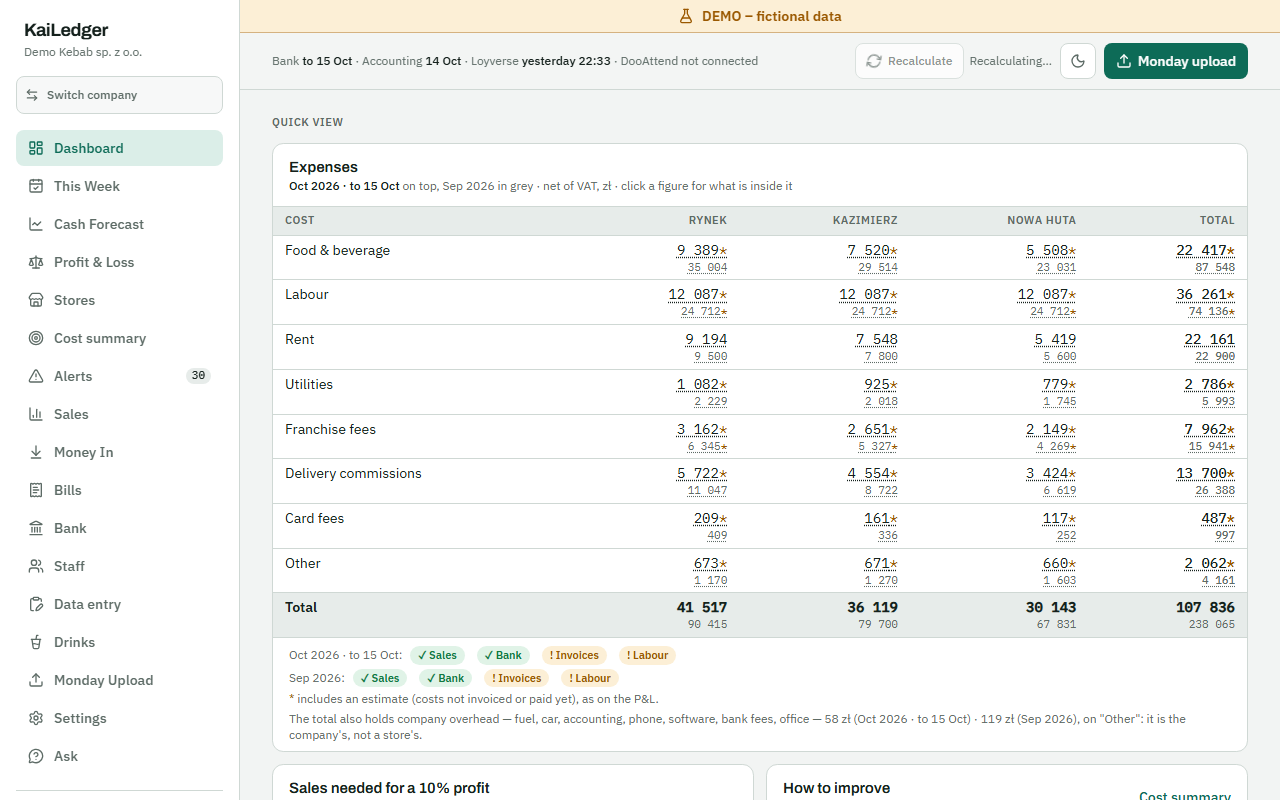
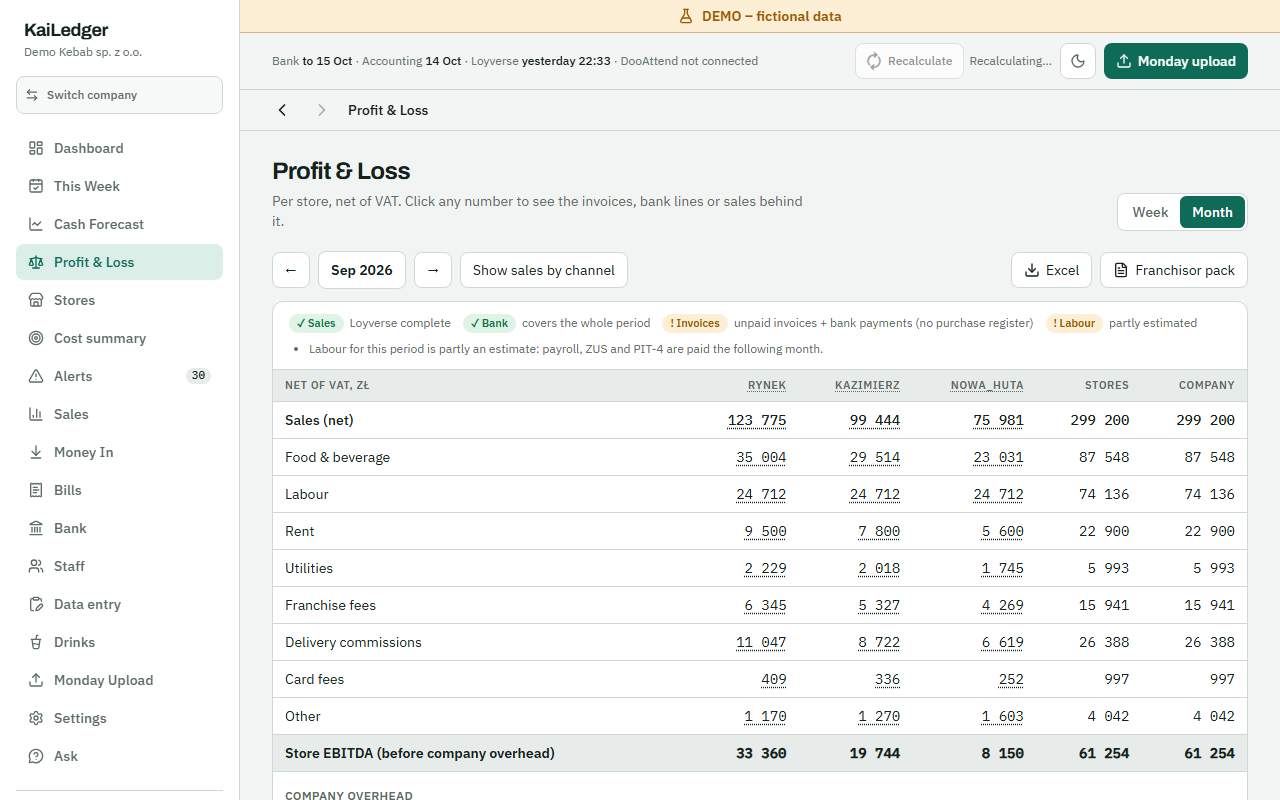
Sales, food, staff, rent and fees — net of VAT, for each store separately. A week or a month. Click a number to see the invoices, payments or sales behind it.
Cash for the coming weeks
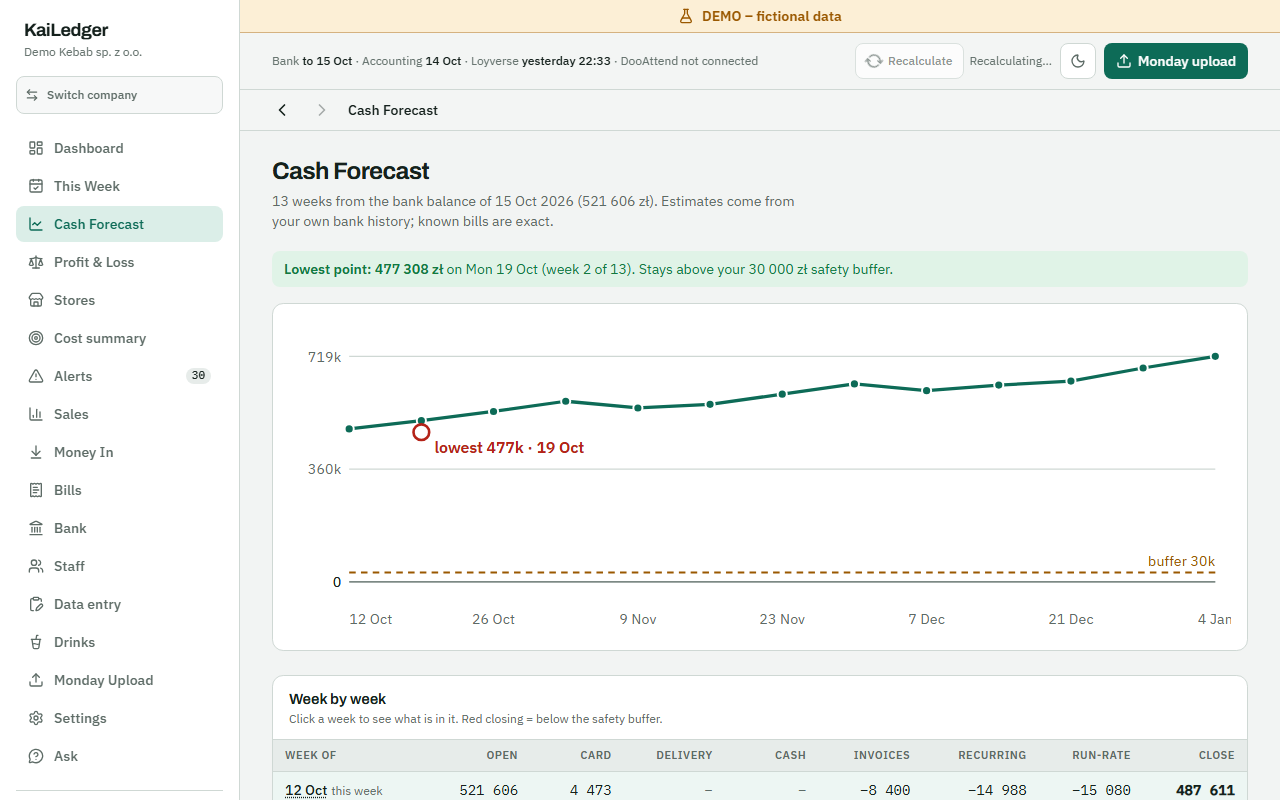
A 13-week forecast from your statement balance: known bills, regular payments and takings. You see the lowest point before it comes.
Bills due
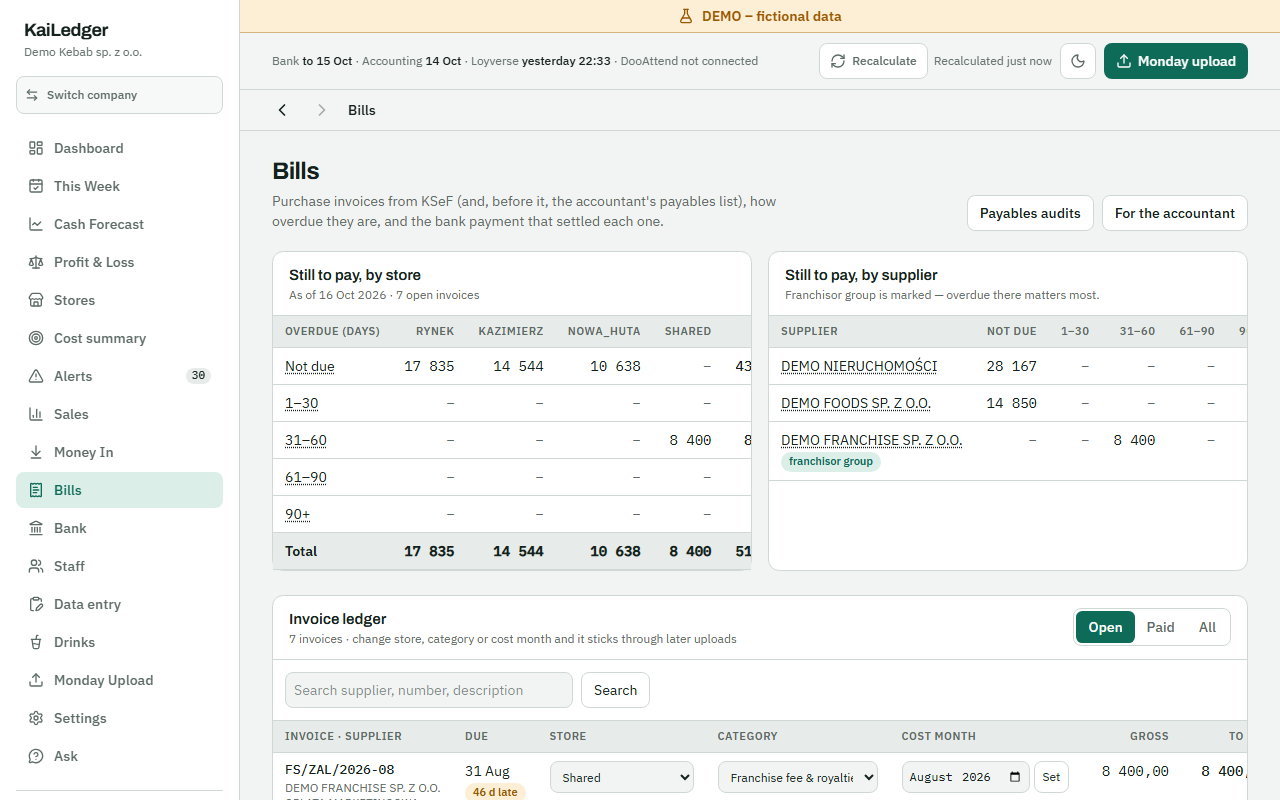
Purchase invoices from KSeF assigned to a store: what is overdue, what is not yet, and which payment settled each one.
Staff cost against sales
Hours from your time-clock turned into each store's labour cost and set against its sales and your target.
A list of things to check
Labour over target, an unusual invoice, a day with no till sales — ready for Monday morning.
The franchisor's report
The monthly pack, ready to print or save as PDF — no putting it together by hand.
Three steps
- 1
Connect your statement, KSeF and till
The bank statement (an MT940 or CSV file), KSeF with a read-only token, the Loyverse till (or a CSV from another till). Staff hours from DooAttend, from a file — or not at all.
- 2
KaiLedger sorts it
Every payment, invoice and sale goes to the right store and category. Anything unclear waits for you — correct it once and it stays that way in the weeks after.
- 3
On Monday you see the week
Upload the new statement, KSeF and the till come in by themselves — and you have each store's result, the cash for the coming weeks and the bills to pay.
What it looks like
Your data
Data in the EU
The database is in the European Union, kept separate for every company. Nobody outside your company can see it.
Read-only
We only read KSeF and your statements. KaiLedger never issues invoices, never sends anything to KSeF and never makes payments.
You keep your accountant
KaiLedger does not keep the books or file taxes — these are your numbers, for your decisions. Your accountant works as before, with their own access if you want.
Export any time
Download all your data whenever you like — also after you cancel.
Nothing is deleted
We never delete anything for non-payment: the account becomes read-only. Data is removed only when you ask, after 30 days to change your mind.
Pricing
200 zł gross / store / month · 2nd month free · 30-day money-back · cancel anytime
- VAT: reverse charge (odwrotne obciążenie)
- You add a card when you sign up. The first payment is taken at once, the next one only after 60 days — the 2nd month is free — and then every 30 days.
- AI assistant included: 50 zł a month of questions about your numbers. Need more? Add a 50 zł (gross) pack.
Frequently asked questions
Does KaiLedger replace my accountant?
No. Your accountant keeps the books and files taxes as before. KaiLedger shows you your numbers every week — so you know where you stand before the accountant's report comes.
Which till and which bank?
Till: Loyverse directly, any other till through a CSV of daily sales. Bank: an MT940 file — mBank, and in beta PKO BP, Pekao, Santander, ING, Millennium, Alior, Credit Agricole and any bank's standard MT940 — or a CSV file.
I have no time-clock. Does it still work?
Yes. Upload hours from a file or skip that step — the rest of your numbers work as usual.
How does the free 2nd month work?
You pay for the first month when you sign up. The next payment comes only after 60 days, then every 30 days. Cancel within 30 days of the first payment and we give the money back.
Can I cancel any time?
Yes, with no notice period, in settings. Your data stays there to download.
Who sees my data?
Only the people you invite, each with their own access — a store manager sees only their store, for example. The AI assistant is optional and can be switched off.
Is this for consumers?
No, businesses only (B2B).
See your first week
Connect your statement, KSeF and till, and on Monday morning you will know what each store made and how much money will be left in the account.